
Vibe coding – Stunt image stacker


Blog post: Stunt Image Stacker — turn motion into a story
If you’ve ever tried to capture a clean “sequence” of a trick—parkour lines, long jumps, scooter whips, BMX boosts, skateboard grabs—you’ve probably hit the same wall: the best moment is split across frames, and the background changes just enough to make a simple overlay look messy.
Stunt Image Stacker is built for that exact problem. It helps you remove backgrounds from action frames, fine-tune edges (so spokes, frames, hands, and helmets stay crisp), and then stack multiple moments into a single, dramatic image that reads like a flipbook—without the clutter.
What you can make with it
- Trick sequences: one rider, multiple phases of a jump, all aligned in one shot.
- Technique breakdowns: step-by-step parkour movements (takeoff, tuck, extension, landing).
- Progress comps: compare attempts side-by-side (or stacked) against the same base frame.
- Poster-style action shots: clean silhouettes over a single background for social posts.
The workflow
1) Upload frames (up to 15)
Start with a burst or a set of frames from video. Best results come from:
- steady camera
- consistent exposure
- minimal motion blur
- the same resolution across all images (Stunt Image Stacker enforces this so layers align)
2) Automask to remove backgrounds
Run Automask to get a strong first pass. This is fast and surprisingly accurate for riders and athletes.
3) Refine edges for the details
Action sports are full of thin geometry:
- bike spokes
- scooter bars
- helmet straps
- shoelaces
- fingers, hair, hood strings
Use:
- Crisp Edge refinement to tighten the mask boundary
- Wand Select to quickly remove large background chunks
- Brush for precision clean-up (with visible brush outline so you’re never guessing)
4) Save masks
Once you’re happy, save masks so you can return later without losing work.
5) Stack in Composer
Switch to the Composer tab to build your final “sequence image”:
- choose a base layer
- reorder layers with drag and drop
- toggle visibility per layer
- use nudge arrows (1px / Shift+click = 10px) to line up landings, wheels, or takeoff points
- reset offsets instantly with ⟲
6) Export
- Export individual cutouts as PNG
- Export the combined stack as PNG (transparent) or JPEG (solid background)
Tips for cleaner results
- Shoot wider than you need: gives room for stacking without cropping limbs/boards.
- Avoid heavy motion blur: masks will always struggle when edges smear.
- Choose a “quiet” base: fewer background lines behind the athlete makes the sequence pop.
- Match exposure across frames**:** if the subject brightness changes, the stack looks less coherent.
- Nudge by anchor points: wheels on the ground line, the athlete’s hips, or a fixed rail/ledge.
Why sequences work so well
A single frame shows a moment. A stacked sequence shows the trick—timing, height, style, and control. It’s perfect for:
- coaches and athletes breaking down technique
- content creators making “how it happened” visuals
- brands showcasing products in motion
- event highlights and recap graphics
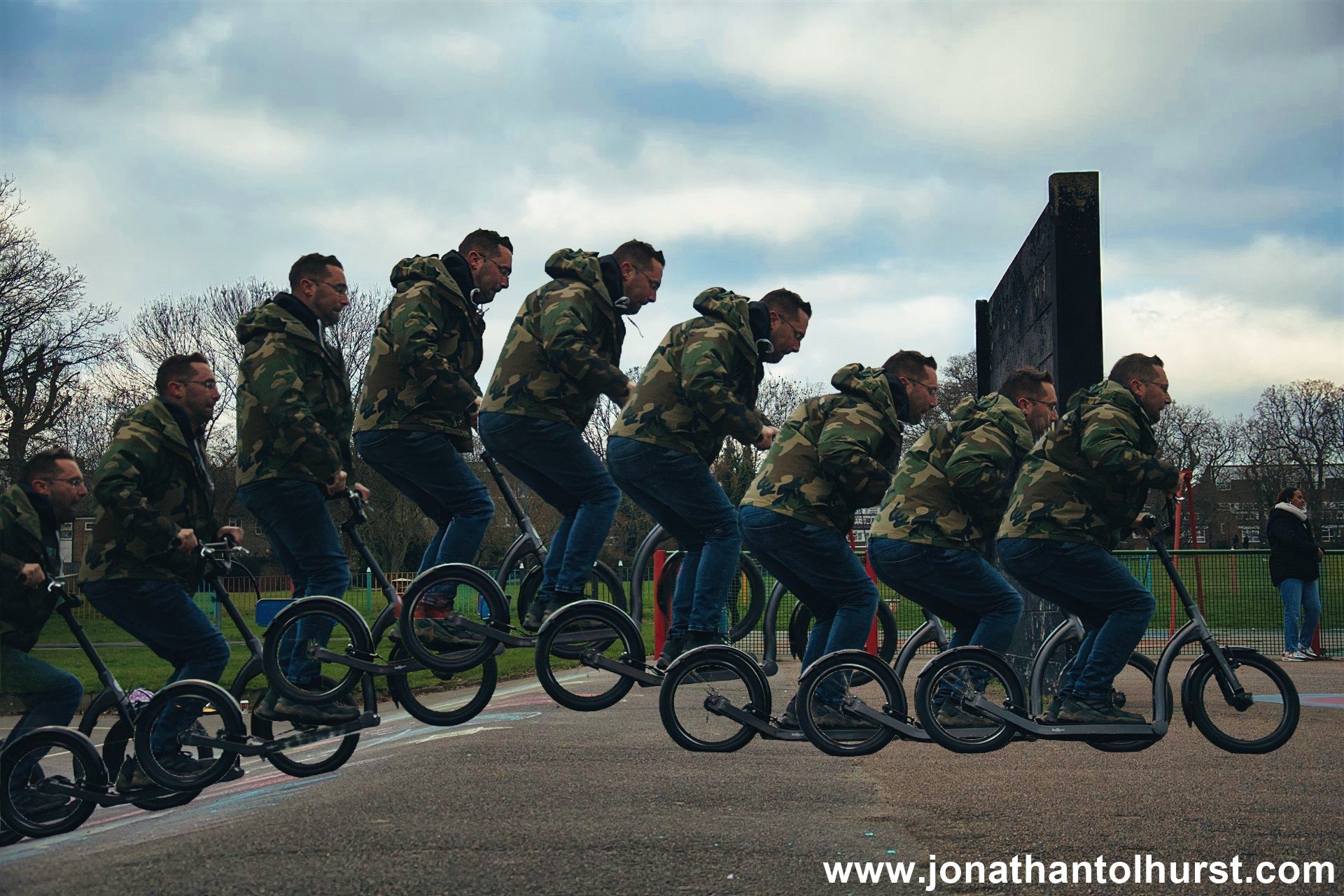
First ever image (without refinement) – made within 5 minutes. The camouflage outfit was deliberate to challenge the background removal machine learning model.
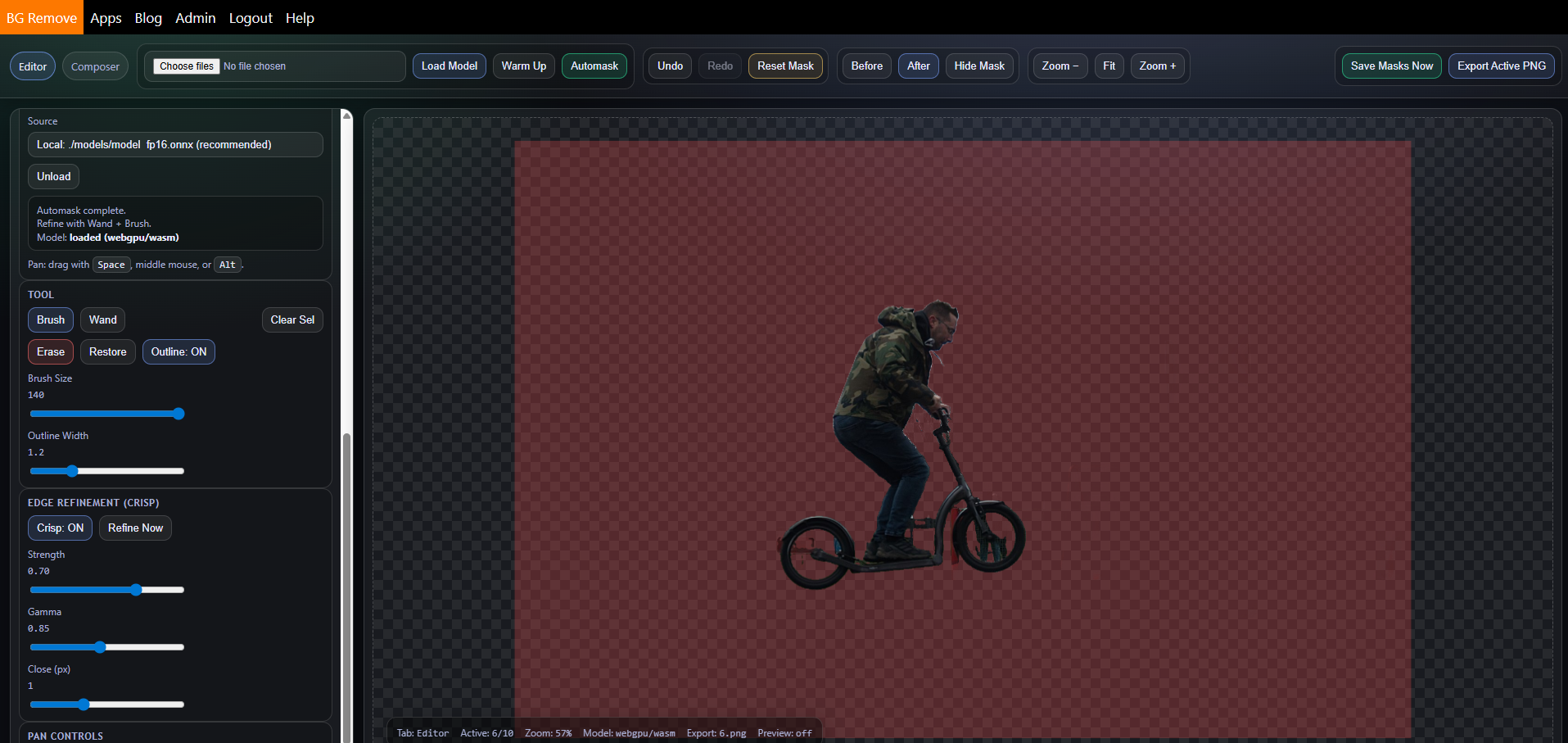
The GUI (Editor Mode)
Related Posts

Paphos 2026 Day 6 – The Extra Day
Due to the UK Air Traffic Control IT meltdown, we spent our extra day in…